Tips for Communicating Internal Policy:
- Develop an on-going program to communicate policy
- Use distribution lists and group the policy information different groups need
- Identify the behavior changes needed
- Use an appropriate tone and language
- Develop a priority system for messages about policy
- Use engaging ways to capture staff’s attention
- Introduce interactive elements into policy communication
- Use multiple communications channels to reinforce important policies
- Evolve policies and keep them top of mind
- Ask staff to acknowledge important policy communications
- Measure acceptance and understanding regularly
All organizations have guidelines and internal policies to protect them. However, your staff are often less familiar with these policies than they should be. They don’t usually break rules on purpose; they’re just not fully aware of some policies and how some of the things they do can affect your organization.
What Internal Policies do Staff Need to be Aware of?
Legislation such as the US’s HIPAA (Health Insurance Portability and Accountability Act) and Sarbanes-Oxley Act, and the EU’s Privacy Directive require organizations to put safeguards in place to keep information confidential and secure. These safeguards may include using e-mail appropriately, using strong passwords and restricting how your organization sends and stores confidential information.
Policies may also cover receiving gifts, dress code, appropriate behavior, and using your organization’s resources like the internet.
What is the Risk if Staff do not Comply?
These are some of the risks that organizations face if their staff fail to follow policies and guidelines:
- Legal liability
- Destroyed business relationships
- Lost data (with an associated impact on productivity)
- Negative PR
- Dissatisfied customers
- Injured staff (if they fail to follow safety guidelines and policies).
In less overt cases, failing to follow policies and guidelines can result in sexual harassment, bullying and subtle exclusion. All these situations can affect productivity and increase your organization’s legal liability.
So Why aren’t Staff Aware of Internal Policy?
Not top-of-mind. Legal and IT teams are usually very aware of the serious risks your organization faces when staff lose information or breach security. However, this is not usually top-of-mind for staff outside these areas. They are simply busy doing their jobs with limited resources in the best way they can.
Out of sight, out of mind. Your IT or legal team may not be communicating policies and guidelines in the best way. For example, they may be sending them out in mass emails or putting them on your intranet. Unfortunately, when most staff today face ‘information overload’, communicating in these ways is unlikely to ‘cut through’.
Tip 1: Develop an On-Going Program to Communicate Policy
Policy Communication By Screensaver
Treat communicating policy as a program, not a one-off event. This means rolling policies out and reinforcing them regularly over time.
Tip 2: Use Distribution Lists and Group the Policy Information Different Groups Need
Internal Policy Reminder on Screensaver
Set up distribution lists that group staff by the types of policies they need. For example, shop floor workers may need to understand health and safety policies that affect their roles; sales teams may need to be more aware of policy that covers how they use customer data.
Think of all staff. Don’t forget remote staff, shift workers, contractors and outsourced staff. Schedule and target policy communications to these staff too. The SnapComms messaging tools let you schedule communications and expire out-of-date content.
Policy Communication tools – SnapComms Registration Alert and Message Scheduling and Targeting Options
Tip 3: Identify the Behavior Changes Needed
The change in behavior you are seeking could be as simple as encouraging staff to ask themselves questions before they act. Use a series of screensavers to prompt staff to ask themselves questions like “Is it illegal?”, “Does it meet company policy?”, “Is this the right thing to do?”, and “How would this look to a customer or my manager?”


Tip 4: Use an Appropriate Tone and Language
You do not always need to use a top-down ‘stick’ approach to enforce policies. Most staff are ethical, responsible and want to do the right thing.
An interactive ‘carrot’ approach can be more effective.
For example, explaining to staff what happens if they breach the policy and communicating in an engaging, visual way is likely to encourage them to comply.
Don't damage engagement by sounding like a sergeant-major. Staff are likely to resist a fixed list of do’s and don’ts. Instead, invite their feedback and give them opportunities to discuss the policies openly.
Use plain English
The staff who write internal policies and guidelines often work in your IT and legal teams. As they may not be your best communicators, consider coaching them to use plain English and make the policies easy to understand.
Tip 5: Develop a Priority System for Messages About Policy
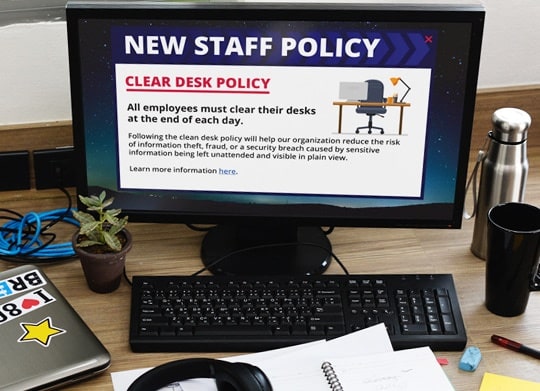
Send the policies staff need to do their jobs to them directly. An engaging desktop alert is a good option to consider.
Load less relevant internal policies and detailed information on your intranet for staff to read when they need it. But make sure they know this information exists and I how to find it.
Desktop messaging tools like screensaver messaging and scrolling headlines can be a good way to spark staff’s interest and help them navigate to more information on your intranet.


Tip 6: Use Engaging Ways to Get Staff’s Attention
Feature Stories in the Internal Newsletter
Email is an ineffective channel for communicating policy. Most staff receive more emails than they can manage. If they can choose to ignore any, it’ll be boring ones that seem unrelated to their role – that is, the ones about policy!
Communicating visually using screensavers can be an effective way to get attention, highlight the policies and make staff aware of what happens if they breach that policy.
Communicate what could happen if the internal policy didn’t exist
Consider what could happen if your organization didn’t have the policy. Then use screensavers like a series of billboards to build an engaging story. Start with a teaser and build the story with a set of screensavers, displayed over time.
Tell positive stories in the internal newsletter
Share stories about staff who follow internal policy well.
Remind staff that you may be monitoring them
Most employers monitor staff email for inappropriate use. Staff may not see the harm in circulating a dirty joke by e-mail, and you may need to remind them that they are breaching company policy.
Tip 7: Introduce Interactive Elements into Policy Communication
Internal Policy Feedback Survey
Let staff have their say and give feedback about how policies affect their day-to-day work. Some policies can backfire, making it hard for staff to do their jobs effectively. For example, are your policies stopping your customer-facing staff delivering the kind of service that will keep your customers happy?
Survey staff regularly
Ask simple questions like “Which rule or policy is preventing you from delivering great customer service / meeting your objectives?” This will help you understand where your policies need to be more flexible.
A desktop survey can be an effective way to encourage all staff to give feedback. Desktop pop-up surveys have built-in recurrence options. This means the survey can prompt staff to give feedback until they do.
Whistle blowing
Even if you communicate your policies well, some staff will fail to comply. Offer channels for feedback and whistle-blowing. Consider suggestions boxes, hotlines and online help desks which let staff report practices that concern them, possibly anonymously.
Tip 8: Use Multiple Communications Channels to Reinforce Important Content
Even if you communicate your policy well, staff may forget the details of it over time. Reinforce policies and guidelines regularly using different internal communications channels. For example:
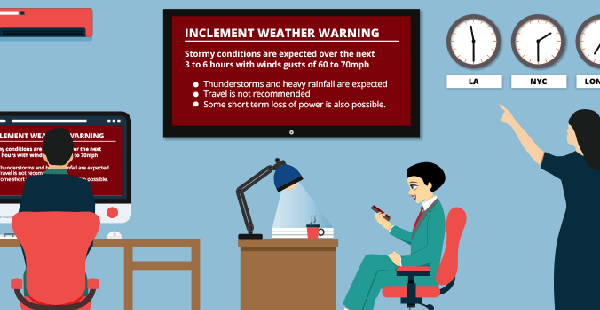
Internal Policy Alert Delivered to the Desktop
Week 1
Communicate policies in team meetings and use
screensavers to provide supporting information.
Week 3
Send
desktop quizzes to selected staff to test how well they have retained the information.
On-going
Reinforce messages consistently, using every communication channel you have available. For example, tell stories in your
internal newsletter, provide headlines related to the policy on
desktop news feeds, send
desktop alerts when someone has breached the policy, and continue to use
visual screensaver messaging to make staff aware of the risks involved if they fail to follow the policy.
Tip 9: Evolve Policies and Keep them Top-of-Mind
Organizations are changing at a faster rate than ever. They are creating data at an ever increasing rate too. The McKinsey Big Data Report projected a 40% growth in global data each year. Faced with this deluge of information, many organizations struggle to update and communicate their policies regularly enough.
Consider using social media to evolve policies
For example, let users generate guidelines for using social media. Consider creating an online forum or wiki with social media guidelines. Staff can give feedback and guidelines can evolve as they need to. A Q&A forum can help identify policies which staff find ambiguous.
Tip 10: Ask Staff to Acknowledge Important Policy Communications
Desktop Internal Policy Communication
Desktop alerts can ask staff to acknowledge that they have read and understood a policy. Recurrence options let you continue to display messages for selected staff until they acknowledge them.
Reporting options let communicators assess regularly how well staff across your organization are aware of and understand your policies, and then develop strategies to fill any gaps.
Tip 11: Measure Acceptance and Understanding Regularly
Use desktop quizzes to benchmark how aware staff are of your organization’s main policies.
Related Resources