Communicating With Front Line Staff

Engaged employees = happy customers. There is little doubt that customer service impacts a company's brand identity. There is also little doubt that happy, satisfied employees translates to happy, satisfied customers. Hence effective frontline communications are a critical part of good customer service.

Effective, two way employee communications are a key factor in ensuring that staff are motivated and effective. However, front line staff are often remote from main offices and may experience higher staff turnover than other parts of the business. These factors can have several implications:

  • Staff training is a constant and on-going challenge
  • Staff don’t always know where to go for the right information
  • Establishing effective employee feedback channels can be difficult
  • Employee engagement is constantly being built from ‘the ground up’


To make the situation even more complicated, front line staff may be employed indirectly, for example via a franchise, and therefore even harder to reach.

Simplify the Message for Front Line Communications

Scrolling news feeds deliver information on-screen to targeted front line employee groups. Simply write your own headlines, include a quick summary and add click-through hyperlinks to further information as required. As front line employees see a headline of interest, they can click-through to read the full message or article there and then, or make a mental note to review their news feed history at a later time (e.g. when they are less busy interfacing with customers).

Discreet updates. Headlines can be kept discreet if computers are located where customers may be able to see the screens. Front line employee’s can shrink a news feed down to a discreet notification icon which can be expanded later.

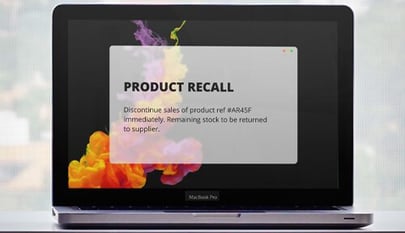
Desktop alerts can highlight the latest updates or notify front line staff of breaking news. Concise alert messages can be read and digested in a matter of seconds. Click-through links to further information, allow front line staff to dig deeper as required. As with Snap Ticker, an initial alert notification window can contain an appropriate message for customer facing computers.

Reduce Information Overload for Customer Facing Staff

Customer facing staff can feel deluged by information and it can be a major source of workplace stress for them which can reduce the quality of their interactions with customers. In addition, an overload of information means staff may be unable to effectively identify and assimilate important information due to excessive background ‘noise’.

Aggregate mass emails. The Snap Mag tool is an email aggregation tool which significantly reduces information overload. For nice-to-know and non-urgent information, it allows you to collate such items into an electronic magazine. For example, rather than IT sending an email update about an outage, or marketing sending out product information updates and HR sending their staffing updates out via email, all of these messages can be consolidated into the same magazine by each department as quickly and easily as sending a group email.

Staff magazines can also be themed with distinct branding. For example; product updates, pricing updates and process and service updates

Snap Mag is pushed directly to targeted computers instead of being delivered by email. Scrolling news feeds can notify staff that a new edition has been published or staff can access the magazine via a hyperlink.

Find Ways to 'Listen' and Gather Feedback From Front Line Staff

Listening is an essential part of good employee communication. Effective front line communication is not a top-down, one-way exercise, but involves listening and demonstrating an inclination to act in response to feedback. ‘Listening’ can be a real challenge for a distributed, customer facing workforce.

Snap tools can be your ‘ear.’ They provide very effective ways to ‘listen’ and gather feedback from front line staff.

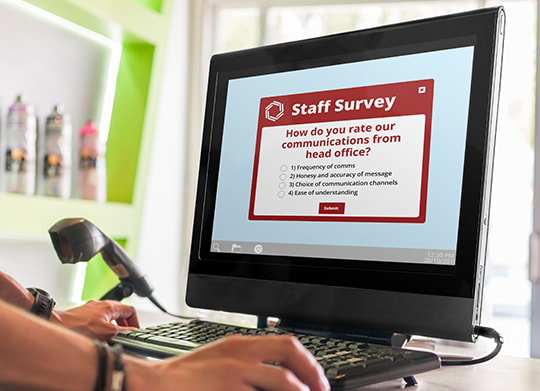
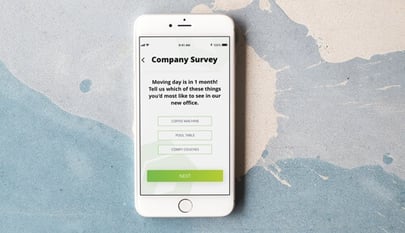
Staff surveys. Snap Poll is different to other staff survey tools because it is pushed directly to targeted computer screens (and not delivered by email). The initial pop up notification can contain an appropriate customer facing message and front line staff can chose to defer responding until later. Options allow you to specify how frequently and how often the pop up message will reappear as a reminder until the staff survey is completed. Snap Poll is quick and easy for staff to participate in and can cover everything from the effectiveness of operations and processes, to capturing front line employee’s views and customer perceptions.

Staff discussion forums can provide a virtual meeting place where customer facing staff can share their ideas, opinions, and feedback. Snap Forum allows front line staff to post ideas anonymously, which, in some circumstances, can be a good means of finding out what staff really think.

Snap Interactive discussion forums are highly secure and provide a range of moderation options that allow you to keep a close eye on the conversations taking place. Targeting options mean that you can set up specific secure forums targeted to specific employee interest groups.

Snap Mag can then provide an effective way to advise staff of the actions being taken in response to their feedback. A section in Snap Mag titled ‘Acting on Your Feedback’ can contain short features over viewing measures being taken based on feedback from front line staff. Closing the loop on staff feedback back can really help build employee commitment and engagement.

Provide Appropriate Support Channels for Front Line Staff

Staff who are working in remote locations, such as branch offices and stores, can often feel cut off from the wider organization. When they have questions or issues it can sometimes be hard to find quick and convenient support.

Local supervisors and managers play a vital role in providing support to, and communicating with their teams. They can also ensure that front line employees have a ‘line of sight’ between the organization’s vision and their jobs. Read more.

Helpdesk tools allow staff, who are experiencing problems, to report an issue or ask a question in an online ‘helpdesk’ format. Moderators can be assigned to a particular ‘helpdesk’ and will receive instant desktop alert notifications when new questions are posted. Moderators can answer questions directly or provide direction (via a hyperlink to the intranet, network, or web) to where the correct answer can be found. Each specific question can be tagged and is searchable, meaning past questions and answers can be easily located in an evolving repository of knowledge.

Snap Poll can act as an open ended survey template which customer facing staff can access at any time in order to provide feedback or just comment on issues or problems they face. Snap Poll also provides a means to measure the effectiveness of managers as communicators. Easy answer, multiple choice questions such as:

  • My supervisor / manager effectively explains how company initiatives will affect our departments
  • My supervisor/ manager is good at speaking in front of groups
  • Who did you hear about XXX from?
  • Do you understand how your team /role’s activities can contribute to XYZ initiative?

…can help you assess how effective managers are at communicating key messages to front line employees. Benchmarking this capability allows you to set standards, reward good behavior and provide training to those managers who are not performing well.

Find Ways to Achieve Message Cut-through

Message cut-through for priority messages. It’s getting harder and harder to achieve message cut-through with so much “noise.” This is particularly an issue for busy, customer facing staff who use computers only intermittently during the day. For important updates, such as pricing changes, notification of system outages or major business announcements, message cut-through can be a priority.

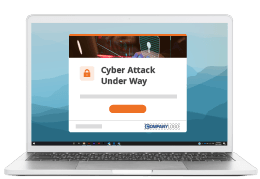
Snap Desktop Alert is a powerful way to achieve message cut-through. It is a targetable desktop alert that ‘pops up’ on employee’s computer screens. Initial pop-up notifications can contain discreet messages if computers are customer facing. However, the employee eventually has to open or respond to the alert message to remove it from their computer (unless an expiry date or maximum reoccurrence option has been specified)

Reporting options mean you can report on who has / has not opened the full message and/or clicked links contained in the alert message. This can be great for compliance requirements such as health and safety and code of conduct messages.

Maintain Levels of Capability and Knowledge

Knowledge is key. A good knowledge and understanding of products, services and key business processes is essential to developing effective, satisfied front line staff and delivering good customer service.

The next time you roll out a training program, remember, in 30 days people typically forget 80% of what they have learnt if it is not reinforced…

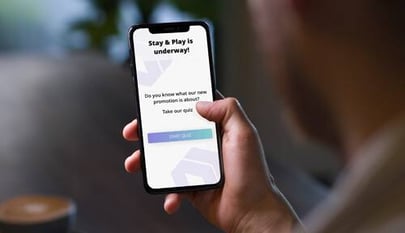
Reinforce training and measure and raise capability using Staff Quizzes. The Snap Staff Quiz tool was developed for this purpose. With Snap Quiz you can:

  • Reinforce training.
  • Enhance knowledge (e.g. around key processes)
  • Benchmark and set standards
  • Influence attitudes with 'scenario' quizzes (e.g. “In situation A do you….?")
  • Create competition. Inspire staff to reach high standards
  • Engage in fun initiatives. Motivate staff with fun competitions and prizes (e.g. include a silly answer in multi-choice questions to make people smile)
  • Measure effectiveness of training (e.g. 6 months after attending training, have behaviors changed?)

Snap Quiz is quick to set up, easily targeted to specific groups and is really easy for people to answer. It ‘pops up’ on the employee’s computer and provides options to complete now or defer until later. You can specify how frequently and how often the quiz will reappear until it is completed.

‘Silent Quizzes’ that staff can opt into via a hyperlink can also be set up. Embedded hyperlinks allow answers to be researched on the intranet and an optional display of the correct answers and scoring can provide further reinforcement of learning.

Make Senior Managers Accessible to Front Line Staff

Find ways to make senior managers more accessible to front line staff. Research consistently shows that confidence and trust in leadership is a top driver of employee engagement. It is important that customer facing employees believe in and relate to senior managers and see how their role fits within and contributes to the wider organization.

Leadership blogs. Snap Interactive enables key managers to blog about various aspects of the business. Encourage front line staff to ask questions and seek clarification. Snap Blog can help staff relate to the human side of managers and build engagement and commitment.

Snap Blog also allows you to enlist the people that staff respect to write blogs, answer questions and provide a credible source of context covering a variety of topics and issues. One example could be to have a successful sales performer blog about “The Secrets of My Success” and a customer service champion to blog about “The Road to Customer Service Excellence”.

Video. Snap Video is a desktop alert format that delivers video to targeted employee desktops. If face to face opportunities with the CEO are limited, Snap Video can provide an alternative. Front line staff can still see the commitment and intent in the CEO’s eyes and hear the passion/empathy in their voice.

Engage Customer Facing Staff by Involving Them

Involvement is an important aspect of engagement and commitment to an organization. Find ways to involve front line staff and allow them to influence some aspects of the business operations.

Collect ideas. Ensure a process exists for submitting ideas and suggestions, consider company volunteer programs which relate to the business, allow employees to contribute to projects and initiatives being run by the wider organization and provide sufficient and equitable opportunities for staff to become involved in new projects and opportunities.

Staff discussion forums. This is a powerful way of holding virtual meetings. Staff don’t need to be in the same location and they don’t even have to say who they are. You can involve people and receive timely and honest feedback. Snap Forum is also exceptionally useful as a brainstorming canvas for focus groups. Get front line staff involved and keep them engaged.

Related Resources

Tools to communicate with front line staff - FREE TRIAL


Front line staff communications tool: desktop alert example

Front line communications tool - desktop alert notifications for important messages.

Front line staff communications tool : Staff e-mag example

Front line communications tool - aggregate mass email updates.

Front line staff communications tool : staff survey example

Gather feedback from frontline staff with a pop up survey tool.

Front line staff communications tool: staff helpdesk example 1

Provide support to customer facing staff with an interactive helpdesk tool.

Front line staff communications tool: staff discussion forum example 1

Discussion forums can help engage front line staff.

Front line staff communications tool : staff survey example 2

Measure information cascade to ensure effective frontline communications.

Front line staff communications tool : desktop alert example

Ensure message cut-through for important employee updates.

Front line staff communications tool : staff quiz example

Use staff quizzes to reinforce messages and learning for front line staff.

Front line staff communications tool: staff discussion forum example 2

Blogs can be an effective frontline communications tool.