Internal Communications Strategies during a Recession Recession means uncertainty –and uncertainty is bad for business. Few people thrive when they are feeling nervous and insecure. Most of us work best when we have a clear picture of where our organization is heading and what we need to do to contribute.
Customizing Internal Communications during a RecessionEmployees may have different needs depending on how they are affected by a recession, their age, life-stage and prior experience of change or recession. Internal communications may need to be customized to suit your target employee audiences. Then, once you have customized messages, you need to deliver them. This can be tricky via some types of generic internal communications channels, e.g. the intranet or printed magazines. Targeted internal communications. The SnapComms Content Management system lets you customize messages and send them to selected groups of staff. The solution automatically detects existing network structures and groups and sets these up as default communications targeting groups. From here you can set up additional communications targeting groups as appropriate. By department, function or perhaps you want to make managers a specific targeting group so they get advance notification of important internal communications. Be Timely with Internal Communications during a Recession
Put new information out quickly. Employees should hear company news from the company first. Nothing is worse for employee morale than learning about changes to their organization from the media or family and friends before they hear about them from their employer.
Pre-schedule messages. The SnapComms Content Management System lets you pre-schedule your messages so that employees receive information at the same time as you release it externally (e.g. to the stock exchange or media). Formats like Desktop Alerts and Scrolling News Feeds get the message across quickly.
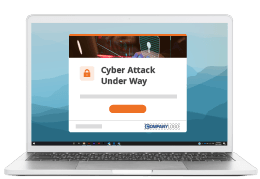
Fast response internal communications tools. For some types of messages, a fast response tool with high message cut-through is essential. In these circumstances use a Desktop Alert or Scrolling News Ticker that is delivered directly onto the targeted employee’s computer screen. Desktop Alerts can contain important messages such as; a senior manager resignation, importance financial results, buying or selling part of the business. Message recurrence options ensure that important updates achieve cut-through before employees hear the news from other, possibly incorrect, sources.
Push out RSS updates. SnapComms Scrolling News Feed tool lets you take advantage of external sources of information too. It can push out information updates from any source that is RSS-enabled (including your own intranet) without requiring staff to opt in (although this is an option). This helps keep staff informed and be effective in their roles. If you use RSS feeds in your press releases or web site, set up a scrolling news feed to deliver headlines and direct staff to further information. This will give staff the release headline automatically on a scrolling ticker bar, as soon as it becomes public. And it’s efficient: automatic RSS feeds mean staff don’t need to take the time to opt in. Alternatively, if you want to write a special announcement for staff, you can easily create an Internal Scrolling News Feed and schedule it to appear at an appropriate time. Team specific Scrolling News Feeds. You can nominate staff from different departments (e.g. the sales team or engineering department) to manage the News Feed for their own audiences while, as overall administrator, still seeing all the messages posted. You can set the news feed to continue scrolling on-screen until an employee clicks on it, or specify the number of scrolls and recurrence until clicked on. This is a good way to guarantee that staff view important content. Ensure Message Cut-through during a RecessionGood timing is only part of the story. We need to make sure we are getting cut-through for important messages too. This is becoming increasingly difficult due to noise which may be increased during uncertain times. Recurrence. You can set internal communications messages up so that they recur or even stay on screen until employees have seen and acted on the information. This is particularly helpful for updates that need to be read. Acknowledgement buttons can be particularly useful for HR updates, Health and Safety communications and so on. Also, in some countries there are legal requirements to notify employees when there is a change to the business that might affect their role. The SnapComms content management system allows you to report on who has or has not opened the full message and clicked on the links that it contains. So you know exactly who has seen what. Engaging Internal Communications
Internal communications need to be authentic and engaging because people may be more cynical or worried during a recession. Email is not an effective internal communications channel under these circumstances. In fact, workers claim that 34% of the internal email they receive is unnecessary. (Gartner / eCompany).
Drive performance. Use SnapComms’ Staff Quiz tool to encourage staff to share their ideas for saving costs or working more efficiently and to reinforce important messages and new ways of working. Build community. SnapMag lets staff to tell their own stories in their own words. Plus the SnapComms Internal Social Media channels let them take part in online discussions and blogs with their colleagues. Use Two-way Internal Communications ChannelsInvestigate specific issues. E.g. understanding of business strategy, or take a quick temperature check to get a sense about what’s bothering people. For example, “What process or rule is preventing us from growing our business?” Gather feedback business strategy to address recession. Review employee understanding, feelings, and collect suggestions for improvement. Keep lines of internal communication open. SnapComms’ Staff Survey tool also allows you to run opt in staff surveys (advertised by an interactive screensaver message and/or on the intranet) for less critical but important issues to give employees a voice and keep lines of communication open. Extend the value of face to face communications. Use a Staff Survey or Social Media channels to encourage staff to provide questions or issues prior to a face-to-face communications and to give feedback and suggestions after face-to-face meetings. A CEO or senior manager blog can act as an ongoing ‘town hall meeting’. The direct, informal nature of blogs appeals to many employees and encourages them to approach their senior team with questions and comments. The SnapComms Internal Social Media tools are secure and easy-to-use. They are built specifically for internal communications and need little IT resource, training or budget to put in place. You can customize pre-defined templates and settings in a few clicks. Employee discussion forums can provide a way for staff to explore ideas and provide feedback. They can also help to gauge the feeling within the organization. Just the type of questions being asked (e.g. “is my job safe?” versus “what career opportunities are there?”) give a good indication of how people are feeling. Q&A discussion forums can be a real asset if things are changing e.g. processes, services, products. It provides a means for employees to get quick help and stay effective. The moderator(s) can receive an automatic desktop alert when a new question is posted. They can then tag questions which then become part of an evolving searchable repository of knowledge. It saves you time having to construct FAQ's ahead of an announcement and the questions evolve quickly based on real needs rather than having trying to predict the future. Rumors. If you are brave enough, consider setting up an employee discussion forum as a ‘rumor mill’ to let staff post anonymously any rumors they are hearing. Bringing them out into the open lets you address them quickly. When people are worried about their job security innocent things (e.g. cutting flowers in the office areas) can trigger rumors (“they are closing this office!”). This allows internal communicators to act as a “voice of reason”. SnapComms tools provide a range of moderation options and are highly secure which can reduces fears of leaks outside of the organization. Be Visible, Honest and Open
No news is good news? For your employees, it’s rarely the case – and certainly not in a recession. In fact, research shows that 71% of people felt that their organization. should be communicating more about the current economic downturn than they are (Weber Shandwick). Use video if face-to-face leadership communication is not possible. Credibility, conviction and passion are best conveyed visually. When a face-to-face leadership communication is impossible, use SnapComms’ Video Alert tool to let staff see the commitment and intent in your senior leaders’ eyes (and hear the passion in their voices). The Video Alert tool is a desktop alert that delivers video to the desktops of the employees you select. To make sure as many staff as possible get the information, you can set Desktop Video Alerts up to prompt staff to watch the video and encourage them to click through to a discussion forum or intranet pages for further information. Measure your Impact (and Demonstrate Your Value!)Demonstrate the value of internal communications. During a recession, it can be particularly important to demonstrate the value of internal communications to senior managers. SnapComms’ Staff Survey tool allows you to do this. You can measure understanding, awareness or behaviors etc before an internal communications campaign. Then after the campaign, benchmark again and measure the shift. Because the SnapComms Content Manager makes it so easy to target messages to specific employee groups you might consider using a control group to measure against if it is possible. Delivery to the desktop and recurrence options mean that employees are more likely to participate and provide representative survey results. Easy targeting allows you to sample rather than target everyone so that employees don’t get ‘survey fatigue’. You can also use the SnapComms pop-up survey tool to measure the effectiveness of managers as communicators and to review the effectiveness of other internal communications channels. Related Resources
|
||||||