






30 Engagement Communication Tips from SnapComms

High levels of employee engagement in an organization are linked to superior business performance, including increased profitability, productivity, employee retention, customer metrics and safety levels. Hence effective engagement communication is a key part of any internal communications strategy.

Clear and Motivating Vision

Engagement communication tip # 1 - 60% of people communicate visually. Use interactive visual screensavers to portray company values and vision. A picture paints a thousand words. Use screensavers to show a positive view of the company. Broadcast it round your organization to capture people’s imagination in an appealing, visual way.

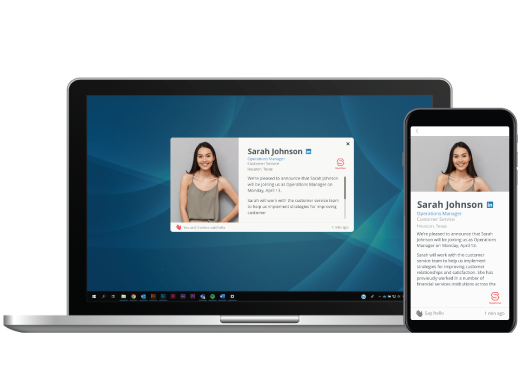
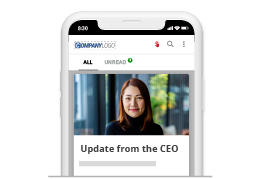
Engagement communication tip # 2 - Visual cues are important. Snap Video is a type of desktop alert that lets you deliver video directly to employees’ computers. So your CEO can’t be at the meeting?  No problem.  Use a Desktop Video Alert to let staff see the commitment and intent in your CEO’s eyes and hear the passion and empathy in his or her voice.  Snap Video’s targeting features mean that you can deliver customized video alerts to different groups of employees at different times and you can measure measure cut through.

Engagement communication tip # 3 - The power of small groups. Smaller face to face executive communication, such as brown bag lunches and skip level meetings, offer a more personalized and engaging format for leadership communication.  Multiple time slots and venues can also help maximize the chances that employees can attend executive briefing sessions. SnapComms' RSVP Desktop Alert is an staff invitation tool that makes it easy to target appointments and manage multiple variables such as venues, times slots and personalized requirements such a transport or catering. The RSVP tool integrates with Outlook.

Improve Line-of-sight

Engagement communication tip # 4 - Customize communications for different target audiences. The SnapComms engagement communications channels allow you to deliver targeted content to specific groups of employees. Work with managers to make the messages as relevant as possible to different groups of staff. 

Engagement communication tip # 5 - Expand awareness. Make sure employees understand how the unit they work in contributes to the overall success of the organization. Expand their awareness beyond their own performance and extend it out into their team.

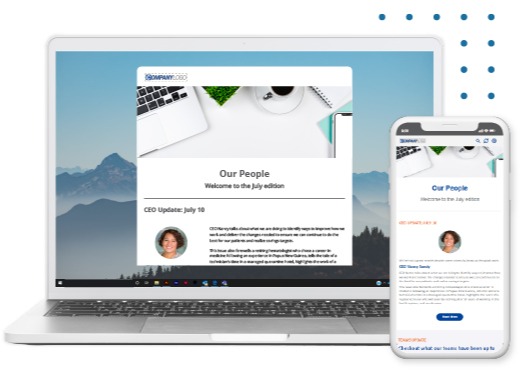
Engagement communication tip # 6- Highlight best practice. SnapMag is an innovative emag format that supports user generated content. Include articles that show how employees are modeling organizational values or supporting wider company initiatives.

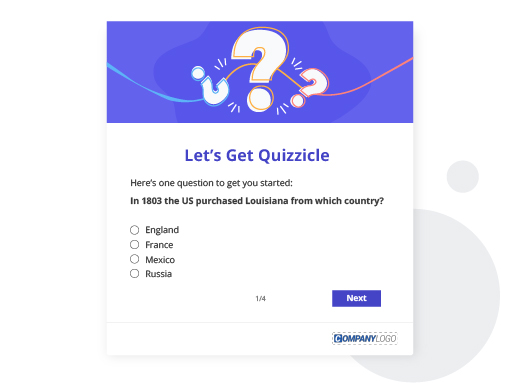
Engagement communication tip # 7- Reinforce understanding and develop local context. Us the pop-up Staff Quiz to ask scenario questions to reinforce understanding and local context. For example, “When I see a colleague working in an unsafe way, I would : A, B, C, or D or all of the above?” or "In XXX situation, how would you apply our company values?" Offer prizes to encourage staff to take part. Include humorous or trick questions and answers that make the quiz fun.

Engagement communication tip # 8 - Provide employee helpdesks. SnapComms' Internal Social Media channels provide a secure, plug and play way to set an interactive online helpdesks to let staff ask questions about any aspect of the business and their role within it. Optional desktop alerts to nominated content owners can help ensure fast responses to questions. Customizable security levels can restrict access to only those groups of staff nominated with access rights.

Engagement communication tip # 9 - Get respected managers and staff to blog about various aspects of the business. These people can, answer questions and provide context to staff regarding any aspect of the business. SnapComm's Internal Social Media tools make this easy, secure and targeted.

Engagement communication tip # 10 - Encourage and help senior managers share ideas with their staff. SnapMag makes it easy for managers and staff to contribute.  

Open Communication and Involvement

Employees need to feel informed of, and involved in, a company’s direction in order to support and actively promote whatever that direction may be.

Engagement communication tip # 11- Show that you’re genuinely concerned about employees’ opinions and use social media as a communications tool to build engagement. SnapComms' Internal Social Media channels provide a quick, easy and secure way to set up employee discussion forums for staff to provide their views and feedback.

Engagement communications tip # 12 - Let staff tell their own stories. SnapMag is an innovative electronic magazine that lets staff contribute their own content quickly and easily.  Use this Staff E-Mag tool to get staff involved.  Encourage them to tell their own stories about what they are doing to support company strategies or embody organizational values.

Engagement communication tip # 13 -Show how feedback is being used. Articles in staff magazines, updates on scrolling news feeds and even interactive corporate screensavers can be a great way to demonstrate to staff how their feedback is being used. The SnapComms' engagement communications tools make these updates quick, easy, targetable and measurable.

Engagement communication tip # 14 - Involve employees. Use the desktop Staff Quiz tool to involve people. For example, by asking them to name new ways of working (e.g. new systems, projects) or suggest improvements.  Offer prizes for the best ideas and recognize them using targeted corporate screensavers and articles in SnapMag.

Bolster Perceptions to Increase Employee Engagement

Engagement communication tip # 15 - Promote employee development programs. Interactive corporate screensavers and articles in staff e-magazines can be effective ways to raise the profile and perceived value of employee development programs. Desktop alerts and RSVP invites can help ensure maximum value is derived from events such as health and wellness presentations etc

Engagement communication tip # 16 - Promote employer brand. Internal brand messages can be lost if they are buried in email or on the intranet. Bring brand messages to life with interactive, visually engaging Communications channels such as messages on screensavers. Involve staff in creating brand values using quick and simple staff survey tools and plug and play discussion forums. Find out what staff know and think using fun staff quizzes.

Engagement communication tip # 17 - Actively promote organizational effectiveness, reputation and ethics. Use interactive corporate screensavers, scrolling news feeds and SnapMag to raise employee awareness. Employees want to feel good about their leaders, where they work, the products they sell and the reputation of their company. Hence these types of engagement communications can valuable.

Engagement communication tip # 18 - Promote value. Corporate Screensavers can be a very effective way to promote ‘free goodies’ available to staff. Anything from staff parties, discounted gym memberships to health checks, fun runs and fresh fruit can be promoted easily and effectively on corporate screensavers. Raising awareness of additional staff benefits can help employees feel more valued and engaged.

Engagement communication tip # 19 - Department highlights. Often people don’t see where they fit into the bigger picture or why a specific department is working so hard on a particular initiative. Use screensaver messages and short articles in SnapMag to provide project updates and progress reports. SnapMag allows individuals and departments to submit their own updates into the appropriate section of the magazine. User generated content is an effective engagement communication technique.

Employees May Leave Managers Not Organizations

Hold managers and supervisors accountable for their engagement survey results and communications effectiveness. Measure their effectiveness and provide tools to support them.

Engagement communication tip # 20 Tell managers first. SnapComm’s targeting and scheduling features let you update managers before their teams receive the information.  This gives them time to plan how they will react when their team hears important news and time for managers to prepare answers to the questions that may be unique to their team.

Engagement communication tip # 21 Get managers to share ideas with one another. SnapComms' Internal Social Media tools allow managers meet online to discuss strategies, share ideas and plan.  This is especially useful when managers work in different locations.

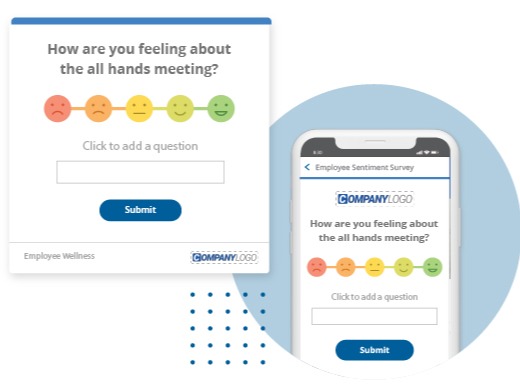
Engagement communication tip # 22- Measure how well managers are communicating. Use a Desktop Staff Survey to measure information cascade across the organization. Read more. Help Managers see the importance of effective communication in order to increase engagement.

Avoid Damaging Existing Employee Engagement Levels

Engagement communication tip # 23 - Not Communicating or Communicating late can damage engagement . Hearing about an important update from media, colleagues or family and friends can have a negative impact on employee engagement. Ensure employees hear these messages from the business as soon as possible. SnapComms' Desktop Alert format bypasses email and achieves fast, effective message cut through. Reporting options let you check which recipients have opened the message.  Message acknowledgement options allow you to ensure communications compliance.

Engagement communication tip # 24 - Deliver localized content. Setting managers or their PAs up as administrators in SnapComms Content Manager lets them send their teams Desktop Scrolling News feeds.  This is a good way to make sure staff get information that is directly relevant to them as soon as it is available.

Test Engagement Communications

Engagement communication tip # 25 - If the rank-and-file employee doesn't get it, it won't work.Measure understanding and impact on behaviors. Read more. SnapComms' Survey tool is delivered directly on the computer screens of selected employees, it does not get lost in their email in boxes.  Built-in reminders encourage staff to take part. 

Celebrate Achievement

Engagement communication tip # 26 - Celebrate both financial and non financial achievements.

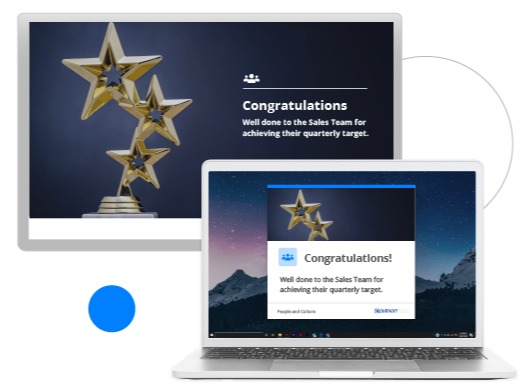
Engagement communication tip # 27 - Highlight success visibly. Interactive corporate screensavers are a great way to build engagement with visual communications to highlight and celebrate successes.  SnapComms’ targeting features mean that you can use corporate screensavers to communicate small, local wins too, to motivate and engage staff in specific parts of your organization.   

Engagement communication tip # 28 - Document local success. SnapMag is an innovative electronic staff magazine utilizing user generated content.  This format is an easy way to document success. Encourage employees to submit articles that talk about what they have achieved (e.g. simpler ways of working, important milestones met).  You can distribute the finished magazine across the whole organization or to specific target groups.

Retention Communication

Engagement communication tip # 29 - Catch dissatisfaction early. Two way internal communications channels such as the pop-up Staff Survey tool and the Internal Social Media channels make it easy to regularly gather feedback from staff and to catch dissatisfaction early - to understand what’s really going on.

Engagement communication tip # 30 - Promote opportunities for staff. Include a section in SnapMag promoting internal vacancies. Promote training opportunities and staff support schemes on interactive screensavers or as articles in SnapMag

Related Resources


Tools for engagement communication - FREE TRIAL