Employee Blogs, Employee Discussion Forums and Interactive Helpdesks

Specifically for employee communication. The Snap Interactive web 2.0 tools have been custom built for employee communication purposes.

Cost-effective and easy to put in place. Setting up a new employee blog or discussion forum does not become an “IT project”. This lets you try out new concepts quickly and easily.

Intuitive and user friendly. Employees may not even realize that they are using a 'new groovy' web 2.0 internal communications tool. They will simply get on with two-way communication and collaboration via employee discussion forums.

Customer Testimonial

“Snap's Employee Discussion Forum tool is so easy! I had a secure employee forum up and running in 5 minutes ”


Staff Discussion Forums, Employee Blogs & Interactive Helpdesks

Internal communications tools. Once the Snap client software has been deployed, you do not need to enlist further help from IT. The Snap Interactive tools are designed specifically for the internal communications team to use and manage easily and quickly.

Easy to set up . Administrators can set up new discussion forums or blogs quickly and simply, and specify which employee groups have authoring, commenting, and reading rights.

Easy for busy staff to use. The design and layout of the discussion forum pages are purpose built to be easy to read and structured to be scan-able. New content specific to each employee is highlighted to them personally.

Stop worrying about inappropriate use. The Snap Interactive communications channels allow you to specify a ‘Code of Conduct’ clearly at the top of each page view. You can link to an existing code of conduct on the intranet, use the default, or type in a code of conduct specific to each employee blog or staff discussion forum.

Keep a close eye on high risk discussions. Code of conduct and moderation options mean that it possible to keep a close eye on employee discussions that are considered high risk. A range of moderation levels allow you to monitor and approve posts if required. For example, moderators can be set to receive a desktop alert when an anonymous post or comment is made on a high risk discussion forum.

Secure discussion groups. Access levels can be easily set up by the administrator based on existing network structures (or newly created targeting groups). You can easily specify which employees have author, comment and view rights. Only staff with view rights can access specified employee blogs and staff discussion forums. This allows you to set up confidential or sensitive discussions forums and workgroups online with full assurance of confidentiality.

Reduced risk of leaks. The Snap social media channels have been built only for secure employee communication. Only people with a unique, organization specific Snap Client applet residing on their computer can view these channels. And only then, if they have been targeted with view rights. This means that the risk of leaks to the outside world is dramatically reduced.

Monitor 'time wasting'. Standard reporting display the average time spent by staff and a view of the ‘power users’. These reports can help address any senior manager’s concerns with regard to time wasting.

Improve productivity. The Snap Staff Helpdesk and Q&A channels are specifically designed to improve productivity. Staff can ask a question in an online helpdesk or Q&A spot and nominated content owners can receive a desktop notification of the question. Once the question has been answered, it sits in a tagged, searchable, evolving repository of knowledge.

Measure the ROI of social media . Extensive reporting options make it easy for you to measure value and show an ROI for social media. You can report on the total time individuals spend using the tools, their demographics and the employee discussion forums they find most useful, as well as the more traditional traffic statistics. In addition, online polls can be customized to provide an insight into staff's perceived value. This makes it easy to quantify the time spent by staff on web 2.0 communication versus the value gained by the business.

Employee Discussion Forum Options

Promotional tools to drive participation . SnapComms' range of internal communications channels can help promote and drive adoption of interactive employee communications channels. For example, the corporate screensaver tool turns employee screensavers into dynamic interactive bill boards. An image is worth a thousand words. For instance, an image of the CEO with a pen can be a powerful and engaging way to notify staff that the CEO has updated his/her blog. Staff can simply click the image to access the blog.

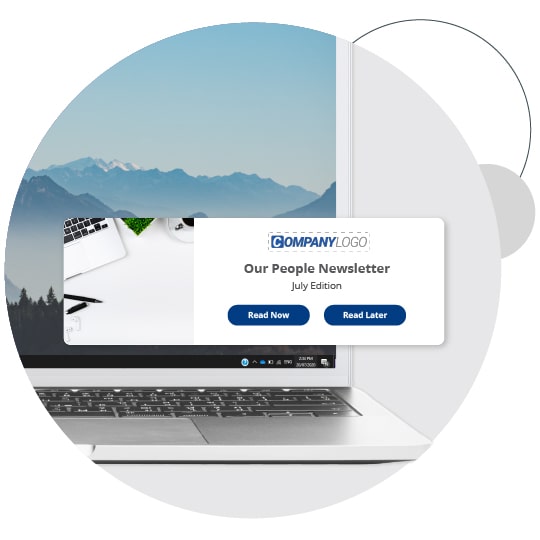
Advanced notification tools. A scrolling news feed can provide a notification of the latest updates relevant to an individual, or a desktop alert can notify staff of an important update requiring their attention.

Fast moderation. If moderation of posts is required, desktop alerts can inform moderators as soon as new or high risk content is posted. This can help ensure that discussion forums, staff blogs etc are lively and active and staff enthusiasm is not 'killed off' by long approval processes.

Helpdesk and Q&A channels have been specifically built to handle and support staff questions and concerns. Setting up a specific, moderated helpdesk, for example, around an organizational change, can help keep inappropriate content out of other staff discussion forums. ‘Risky’ discussions, where sentiment might be negative, can be targeted securely to only those affected. This means that negativity does not need to ‘infect’ the rest of the organization.

Automatic authentication. End users do not need to remember and enter user names and passwords: automatic user authentication keeps your network secure. Staff will not be put off by laborious sign up or log-on procedures.

Search tools and tagging to help staff find important information fast.

Hosted or in-house versions. Snap Interactive is available as a fully hosted solution or an in-house solution. The in-house solutions can be a good option for IT teams worried about hosting company information outside of the organization.

Measuring the ROI of social media for employee communication

Snap Interactive reporting includes a range of measures which can help demonstrate the ROI of social media channels. For example:

Quantify value to staff . As part of the standard set up of a Snap Interactive channel, the administrator can specify customizable online poll questions for each employee blog or discussion forum. The default questions are:

"This content helps me feel part of the organization / increases my satisfaction"
"This content helps me do my job"
" This content is interesting"

Such questions allow you to quantify the value that social media channels bring to employees.

Average time spent by users plus a view of the ‘power users’ - making it easy to quantify the time spent by staff using social media versus the business value gained.

Content popularity. A view of which content is popular, allowing you to assess what’s ‘hitting the mark’. Are staff spending the most time using employee discussion forums for productive information sharing? What about employee blogs and discussion forums that have a fun element and could perhaps influence engagement? Or perhaps staff are spending time on employee discussion forums discussing concerns and issues, indicating some underlying issues that need to be addressed by the organization.

scrolling-news-feed-question
Employee Discussion Forum tool - FREE TRIAL


Use Snap Interactive to:


  • Set up employee discussion forums in a few clicks
  • Establish relationships
  • Increase staff collaboration
  • Reduce business silos
  • Manage employee knowledge
  • Build employee commitment
  • Generate and share ideas
  • Gather qualitative feedback


Employee blog tool :: employee discussion forum tool - example 1
Employee discussion forum managing internal rumors

Employee blog tool :: employee discussion forum tool - example 2
Employee helpdesk example

Employee blog tool :: employee discussion forum tool - example 3
Customizable employee profiles for social media

Employee blog tool :: employee discussion forum tool - example 4
Desktop alert notification of a discussion forum post


Social Media For Employee Communications - White Paper