Updated December 12, 2021
Moving offices can be unsettling to employees; however, effective internal communication can minimize uncertainty and fear and smooth the disruption. When handled well, office relocations can be a motivational and positive change for employees.
Even when the perfect new premises have been found, there are still staff, infrastructure, technology, governance, and tons of other things to arrange. With so much at stake and so many moving parts, it’s easy to feel overwhelmed.
Our office move guide includes the ABC of successful office relocations and the top 8 tips for your communication plan – guaranteed to help you get a move on.
The ABC of Successful Office Relocations
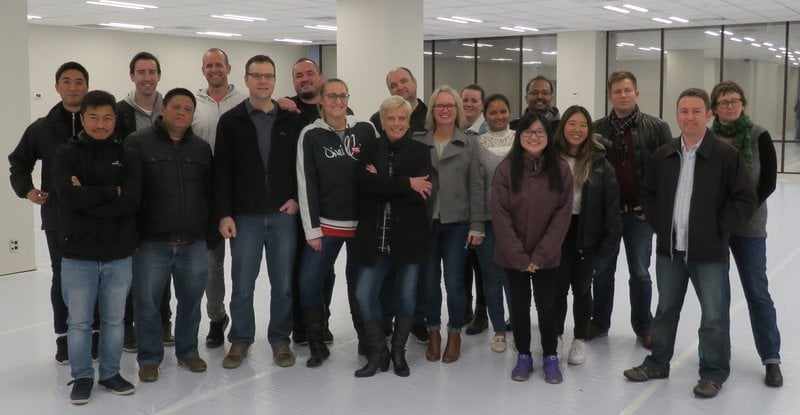
At SnapComms we recently completed our own successful office move. Even better, everyone survived the experience, no tears were shed and we love being in our new pad.
So we thought, why keep everything to ourselves? The communication tips and tricks we learned can help you too. The art of communication for a successful office move lies in ABC:
All they need to know
Building the buzz
Counting down
A. All they need to know
What it is: This is the information that staff wants to know and that you need them to know. It’s the practical details of what’s happening, how it’s being done, who’s involved, and what all of it means for each employee.
Why it matters: It’s important to convey openness and a sense that nothing is being held back, right from the outset. This gives staff a sense of active involvement and assuages their concerns around transport options, parking entitlements, dining options, etc. Failing to communicate at this step risks starting on a negative basis and undermining the excitement later.
What to do: Set up the framework for your office move communication and circulate the main information.
-
Set up a communication schedule to timeline key messages throughout the move – essential for reducing the risk of anything being missed
-
Create a template for the different messages you’ll need to send throughout the move to make sending future updates faster and easier – you might need one template for critical information sent via desktop alerts, one for light-hearted updates, one for staff surveys, etc.
-
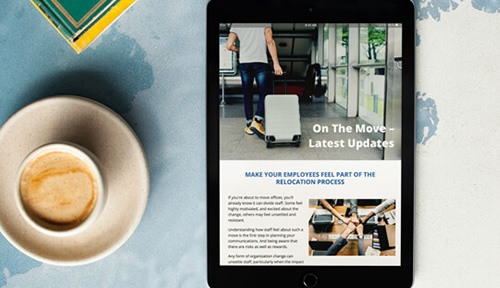
Establish a central channel or place staff recognize as the source of truth for info on the office move – this could be an app or dedicated area on your intranet
-
Use distinctive branding on all office move comms so that they stand out from messages on other topics – for example, include a special icon or logo in the message headers
-
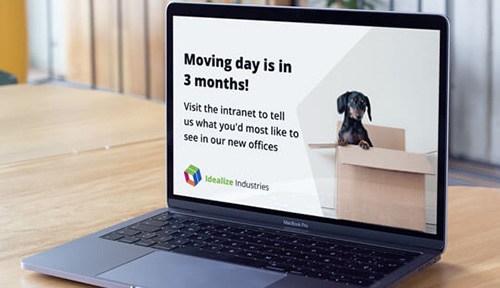
Promote the key benefits of the move in vibrant computer wallpapers or animated screensavers
-
Keep information high-level at this stage (eg. Location of the new premises) and gradually become more personal in later stages (eg. Placement of individual desks)
-
Consider governance in sending the right balance of messages with the right volume of information – too little and staff can feel neglected, too much and staff will ignore them
-
For larger organizations, segment your employees by teams, function, etc. to allow sending of targeted messaging (eg. Notifications about systems and cabling to only IT staff)
-
If multiple locations are under consideration for the new premises, share these with staff together with what the advantages are of each – sure to earn brownie points with staff!
-
Establish a cross-functional moving committee and publicize members at the beginning – this helps staff know who is involved and helps share the responsibility of answering queries across the committee
-
Arrange a Q&A session where staff can ask questions of management concerning the move
B. Building the buzz
What it is: If ‘A’ is the practical, need-to-know information, ‘B’ is the emotional engagement. It’s the messaging that gets staff excited about the move and encourages their participation.
Why it matters: After the initial announcement and fanfare, this is the time to raise staff interest and get them actively involved. Promoting the new office makes handling later questions simpler (for example, around employee workstations), and helping staff visualize the office is useful in easing their concerns. Try to maintain a balance of staff opinion and business needs in your messages.
What to do: Come up with a range of ways to bring the move to life, showcase the progress being made and introduce two-way communications.
-
Convey how the new working environment will support better collaboration and improve staff satisfaction while at work
-
Announce the moving day to ensure everyone has it on their calendars
-
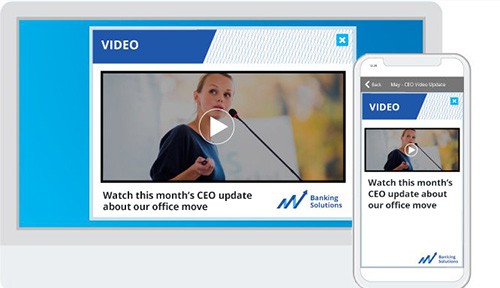
Feature your CEO or other senior managers in your communications where appropriate to convey their involvement in and support of the project
-
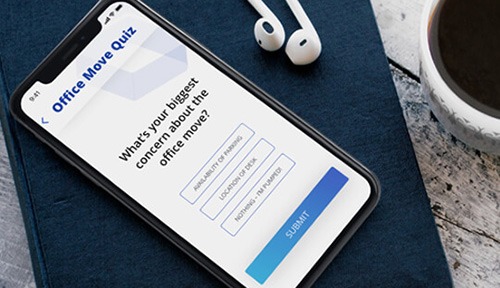
Collect opinions via staff surveys on what they like and loathe in the current office, and invite their suggestions for the new office – this can be both serious and light-hearted (suggestions made by SnapComms staff for our move included an ice cream machine and a hammock!)

-
If prototypes are available for new facilities, such as adjustable workstations, get staff involved with trying them out in advance
-
When options are being considered for carpet, tiling, artwork, etc, display samples in an open area and ask staff what they think – style and furnishings for breakout areas are good examples of things staff could give opinions on but which aren’t ‘mission critical’ (just be prepared to take feedback honestly)
-
Highlight new features or facilities staff can enjoy in the new office – anything from improved AV capabilities or more meeting spaces to discounts at nearby gyms or bigger bathrooms

-
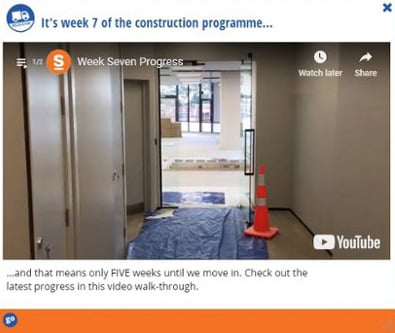
Record walkthroughs of the new office as it takes shape and share this as a video tour – channels like video alerts are perfect for circulating these to staff
-
Run a competition for staff to name the new meeting rooms and get everyone to vote on their favorites through a staff quiz – a simple way to encourage creativity and fun
-
Chart progress by taking photos of the new office as it develops over time – this ‘before and after’ is a great way of demonstrating to staff how much progress is being made behind the scenes, and can be easily shared over internal social channels


C. Counting down
What it is: When deadline day is approaching, this is the critical information that ensures it goes without a hitch – that every action is taken, every task is complete and nothing is left to chance. The more successful your ‘A’ and ‘B’ have been, the easier ‘C’ will be.
Why it matters: In these final weeks and days you’re against the clock. Any delay or curveball risks knocking your schedule out – even affecting your moving date. Your time is limited to investigate any concerns and address any issues – the time involved in this is time removed from the tasks you’d planned to be doing.
What to do: Collate a list of every element related to moving day, especially those which involve staff, and prepare communications that clearly address each element.
-
Arrange visits to the new office for all staff – no need to wait until the office fit-out is complete, the earlier the better to help staff begin to feel at home
-
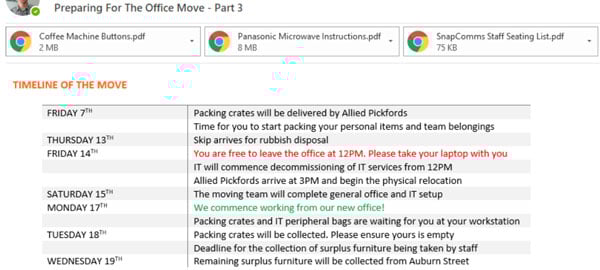
Send around a clear daily timeline of what’s happening and when in the final days
-
Provide instructions on the things staff need to do and remind them as often as required using tools like scrolling tickers – this could be packing up their workstations, cleaning out storage spaces, picking up new security passes, or disposing of those unwanted and unidentifiable packages left in the fridge
-
Summarize in a table the things that are different in the new office and that will affect staff (eg. Personal items are stored in desk drawers in the current office vs in individual lockers in the new office, or visitors sign in at reception in the current office vs on an electronic tablet in the new office, etc.)
-
Remind staff to only take with them what they need – everything else can be disposed of before the move (plus it’s cathartic to throw out those old, unwanted files!)

When the move is completed and everyone is in the new premises, take a deep breath and take a bow – you’ve earned it. But why not take the opportunity for a final piece of internal communication magic?
Send a message to all staff thanking them for their efforts and support, and consider including a ‘blooper reel’ of those little things which went awry during the project and which staff wouldn’t know about. Like the outtakes at the end of a good movie, it’s a great way to wrap up with a smile and let staff know that everything doesn’t have to go 100% smoothly all the time.

8 Tips for Office Move Communications
Moving office is one of the biggest projects a business can undertake. Following these 8 tips will ensure yours goes without a hitch.
1. Define key messages
At various stages in the project, measure employee understanding of the key messages and re-communicate or clarify them as necessary.
For example, key themes may focus on a better environment or growth and expansion.
2. Communicate early
Your office relocation communication plan needs to begin a long time before the actual move. Employees need to understand what to expect and be able to ask questions.
If communication is delayed or withheld, rumors may start, and people may feel that their jobs are under threat. Plan and, where possible, preschedule communications regarding the office move for every stage of the move.

3. Make messages relevant
Different teams may be on varying move schedules and have access to different facilities at the new location. As a result, you should target communications to allow the teams to receive specialized information.
4. Paint a picture of the future
A series of screensaver messages that build on a common theme over time can be a great way to raise interest in the coming office move. Include countdown clocks on screensavers to countdown to particular deadlines or milestones in the move process.
Use screensaver messages to feature images of the new office spaces, building plans and layouts, and what's in the area are great content ideas.
Create a video tour of the new location featuring an enthusiastic CEO or senior manager wearing a hard hat overseeing key facilities.
5. Provide support channels
Social media can be used to support employees who may have questions or concerns about the office move. Hyperlinks to online forums and help desks can be embedded into screensavers and other communication channels to provide employees with easy access to the resources.
Create a dedicated ‘move’ newsletter for staff to act as an ‘information pack’ of resources related to the move. This allows employees to tell their own stories and ask questions about the move.
6. Escalate as the move gets closer
As the date for the move draws closer, use more overt communication channels. For example, targeted desktop alerts or scrolling desktop headlines can be used to remind staff of important deadlines.
These could include updating their contact information, packing up personal office areas, applying for new security passes, and booking car parks.
7. Celebrate success
Moving offices can be a busy and stressful time for everyone. Remember to arrange a moving-in party for staff and other important stakeholders.
8. Use as a catalyst for wider change
An office move can provide a great opportunity to inspire positive change. Open up the lines of communication by involving employees in the office move. For example, ask them to name new buildings and meeting rooms, donate or giveaway leftover furniture.
A desktop quiz tool can be a great way to ask employees to submit their suggestions. Small but meaningful prizes can be awarded for the best suggestions. Profile winners on screensaver messages with a photo of them collecting their award or opening the new meeting room.
Good internal communication guarantees a great office move. When staff are informed, inspired, and involved, they’re on your side and everything runs smoothly. We know because it worked for us!
See how SnapComms can support your office move by exploring our platform or speaking with one of our communication experts.